
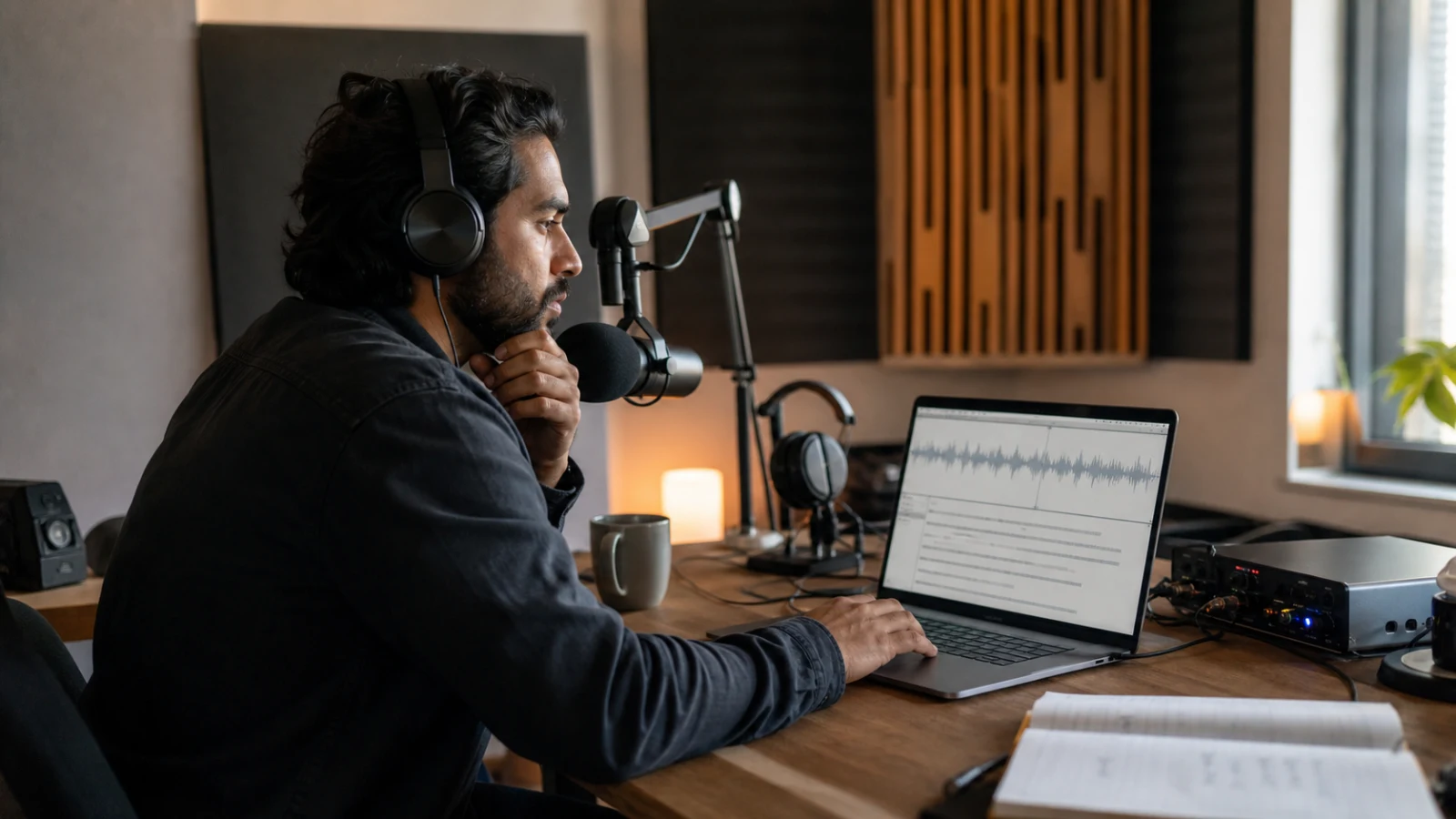
GPT Transcribe Explained: OpenAI Audio Models and the Transcriptions API
GPT Transcribe is best understood as a modern speech to text system, not simply a faster way to run an old transcription model. OpenAI's current transcription family can convert recorded speech into text, use linguistic context to resolve ambiguous words, stream results from completed recordings, and—in a specialized model—separate speakers. The same family is exposed through the POST /v1/audio/transcriptions endpoint, which makes it useful to both people who need a transcript and developers building audio products.
This guide explains what happens between an audio file and the final text, how the available models differ, what the OpenAI v1 audio transcriptions API actually returns, and how to design a reliable production workflow. If you want to experience the workflow before thinking about API code, you can try GPT Transcribe with a real recording and compare the result with the engineering concepts below.
OpenAI changes model capabilities over time. The model and endpoint details in this article were checked against the official documentation on July 30, 2026.
Key takeaways
- GPT Transcribe is a family of context-aware speech-to-text models exposed through OpenAI's
/v1/audio/transcriptionsAPI. gpt-4o-transcribe,gpt-4o-mini-transcribe,gpt-4o-transcribe-diarize, andwhisper-1serve different quality, cost, speaker-label, and output-format requirements.- Production transcription needs media validation, retryable chunks, provenance, confidence-guided review, and privacy controls—not only a model call.
- The API can stream results from completed files, while ongoing microphone audio requires a separate realtime transcription architecture.
- Developers can test the user-facing workflow through GPT Transcribe before designing a custom integration.
What is GPT Transcribe?
GPT Transcribe refers to the use of GPT-based audio models for automatic speech recognition, or ASR. The input is audio containing speech. The primary output is text in the language spoken in that audio. Depending on the selected model and response format, the output can also include usage data, confidence-related token probabilities, timing information, or speaker-labelled segments.
That sounds similar to any speech-to-text service, but the model design matters. A conventional ASR pipeline often treats acoustic decoding and language modelling as distinct stages. It first estimates phonetic units from sound and then tries to assemble them into likely words. Modern end-to-end models learn a richer relationship between acoustic patterns, language, context, and transcription output. This is why two systems can receive the same waveform yet differ sharply on an accent, a product name, a clipped syllable, or a sentence spoken over background noise.
OpenAI introduced gpt-4o-transcribe and gpt-4o-mini-transcribe as successors for many Whisper API workloads. According to OpenAI's next-generation audio model announcement, the models were trained to improve word error rate, language recognition, and reliability across accents, noisy conditions, and varied speaking speeds. They do not make imperfect audio perfect, but they move more of the linguistic reasoning into the transcription model itself.
The name can still be confusing because three layers are involved:
- The task: speech to text, or transcribing audio into written language.
- The model: for example,
gpt-4o-transcribeorgpt-4o-transcribe-diarize. - The interface: an application such as GPT Transcribe, or the OpenAI API endpoint used by developers.
Keeping those layers separate prevents a common error: assuming every feature in a transcription application comes directly from one model. File management, editing, exports, summaries, caption formatting, and job history may be application features built around the underlying recognition model.
The OpenAI transcription model family
There is no universally best transcription model. The right choice depends on whether the priority is recognition quality, throughput, speaker identity, exact timing, or a legacy output format.
| Model | Best fit | Notable capabilities | Important trade-off |
|---|---|---|---|
gpt-4o-transcribe | High-quality general transcription | Context-aware speech recognition, prompting, streaming, optional token log probabilities | Larger model than the Mini variant |
gpt-4o-mini-transcribe | High-volume or latency-sensitive workloads | Lower-cost GPT-based transcription, prompting, streaming, optional token log probabilities | Quality may be less robust on the hardest audio |
gpt-4o-transcribe-diarize | Meetings, interviews, calls, and multi-speaker recordings | Built-in speaker diarization and diarized_json output | Does not support every option available on standard GPT transcription models |
whisper-1 | Existing integrations and subtitle/timestamp workflows | Broad legacy response formats, including SRT, VTT, and verbose timing output | No streamed transcription response; older recognition generation |
The standard model is the sensible starting point when transcript quality matters and the recording contains one dominant speaker. The Mini model is worth benchmarking when thousands of short clips must be processed or when the product needs a faster economic path for ordinary audio. The diarization model becomes valuable when the identity of the speaker is as important as the words.
Whisper remains relevant. OpenAI's original Whisper research paper describes a large-scale weakly supervised system trained for multilingual recognition, translation, and language identification. It established a strong general-purpose baseline and still supports output options that some subtitle pipelines depend on. A migration should therefore be based on an evaluation set, not on the assumption that a newer model is automatically compatible with every old response format.
How /v1/audio/transcriptions works
The transcription endpoint accepts a multipart request containing an audio file and a model identifier:
curl https://api.openai.com/v1/audio/transcriptions \
  -H "Authorization: Bearer $OPENAI_API_KEY" \
  -H "Content-Type: multipart/form-data" \
  -F file="@meeting.mp3" \
  -F model="gpt-4o-transcribe" \
  -F response_format="json"
A basic JSON response contains the recognized text and usage information:
{
  "text": "The team agreed to ship the revised onboarding flow on Friday.",
  "usage": {
    "type": "tokens",
    "input_tokens": 128,
    "output_tokens": 17,
    "total_tokens": 145
  }
}
The simplicity of that response hides several decisions. A production request may specify the spoken language, provide a prompt containing domain vocabulary, ask for streaming, or request token probabilities. The official transcription API reference lists accepted inputs and model-specific parameters; check it whenever you change models because support is not identical across the family.
File and language inputs
The endpoint accepts common audio and media containers, including MP3, MP4, M4A, WAV, WebM, FLAC, MPEG, MPGA, and OGG. A file extension is not proof that the contents are valid. Real systems should inspect the media, reject empty or corrupt uploads, and normalize unusual codecs before sending a request.
If the language is known, send its ISO-639-1 code, such as en, es, or ja. Automatic detection is convenient for mixed traffic, but an explicit language reduces the search space and can improve both latency and accuracy. Do not set a language from the user's browser locale unless it genuinely describes the recording.
Prompts are context, not commands for missing speech
For models that support it, the prompt field can bias the transcript toward expected vocabulary and style. It is useful for names, acronyms, product terminology, and continuity across chunks:
import fs from 'node:fs';
import OpenAI from 'openai';

const client = new OpenAI();

const result = await client.audio.transcriptions.create({
  file: fs.createReadStream('earnings-call.mp3'),
  model: 'gpt-4o-transcribe',
  language: 'en',
  prompt:
    'Terms that may appear: Miso One, ARR, net revenue retention, Cloudflare Workers.',
});

console.log(result.text);
A prompt should supply likely context without dictating facts. If it contains a full imagined transcript, it can make errors harder to detect because the model has been strongly primed toward text that may not exist in the audio. Use a compact glossary, capitalization examples, or the final sentence from the previous chunk. Then verify names against the recording.
Response formats are model-specific
Output format is one of the most important compatibility differences. whisper-1 supports formats such as plain text, SRT, VTT, JSON, and verbose JSON. The GPT-based standard models focus on JSON or text responses, while the diarization model adds diarized_json for speaker annotations. If an application requires subtitle cues or word-level timestamps, confirm which model and format combination supplies them rather than assuming all transcription models behave like Whisper.
This distinction also suggests an architectural rule: keep the canonical transcript separate from delivery formats. Store normalized segments in your own schema, then derive TXT, SRT, VTT, DOCX, or searchable records downstream. A model change should affect the adapter at the edge, not every consumer in the system.
Why GPT-based transcription can be more accurate
Speech recognition errors do not come only from “hearing” the wrong sound. They also come from selecting the wrong word among several acoustically plausible options. Consider these pairs:
- “four” and “for”
- “cache” and “cash”
- “Miso” and “me so”
- a person's surname and a common word with similar phonemes
The acoustic evidence may be ambiguous. Sentence-level meaning, topic vocabulary, grammar, and earlier context help resolve it. A GPT-based transcription model can use those signals more effectively than a narrow decoder, especially when the phrase is meaningful in context but rare in generic speech data.
OpenAI reports lower word error rate for GPT-4o Transcribe than for earlier Whisper models on established multilingual benchmarks. WER counts substitutions, deletions, and insertions relative to a reference transcript:
WER = (substitutions + deletions + insertions) / reference words
It is a useful benchmark, but it is not the same as business correctness. Turning “fifteen” into “fifty” is one word error with major consequences. Misspelling a guest's name ten times may dominate an editor's workload even when overall WER is low. A production evaluation should therefore measure:
- overall word error rate;
- proper-noun and domain-term accuracy;
- number and date accuracy;
- missed speech and invented speech;
- punctuation and paragraph usability;
- speaker attribution accuracy when diarization is used;
- human correction time per audio minute.
The last metric is often the most practical. A transcript with slightly more punctuation mistakes but perfect technical terms may be faster to publish than one with a better aggregate WER and unreliable names.
Streaming a file is not the same as realtime transcription
“Streaming” describes two different workflows.
The first starts with a completed recording. You upload the file to /v1/audio/transcriptions with streaming enabled, and the server emits transcription events as output becomes available. This improves perceived latency because the application can render partial results before the entire response finishes.
The second starts with live audio that is still being captured from a microphone or call. That requires a realtime transcription session, an audio transport, buffering, turn detection, reconnection logic, and rules for committing partial text. It is a different product architecture even though the screen may look similar.
The distinction affects error handling. A file can be retried deterministically from its stored bytes. A live stream may contain frames that are gone unless the client or server retains a replay buffer. A file transcript can wait for a polished final result; a realtime caption system must balance speed against revisions to partial words.
When the requirement is “show the transcript quickly after upload,” streamed file output may be enough. When the requirement is “caption a conversation while people are speaking,” use a realtime transcription route and design for unstable networks, partial hypotheses, and session recovery. OpenAI's speech-to-text guide documents these workflows separately.
Speaker diarization: identifying who spoke when
Transcription answers what was said. Diarization answers who spoke when. A single paragraph can be linguistically accurate yet useless as a meeting record if comments are assigned to the wrong person.

gpt-4o-transcribe-diarize combines recognition with speaker segmentation. With response_format="diarized_json", the response contains time-bounded segments and speaker labels. The model can produce anonymous labels, such as A and B, or use short known-speaker references when the application provides suitable sample audio and names.
A diarized request can look like this:
curl https://api.openai.com/v1/audio/transcriptions \
  -H "Authorization: Bearer $OPENAI_API_KEY" \
  -H "Content-Type: multipart/form-data" \
  -F file="@interview.wav" \
  -F model="gpt-4o-transcribe-diarize" \
  -F response_format="diarized_json" \
  -F chunking_strategy="auto"
Conceptually, the output is a sequence like:
{
  "text": "Welcome. Thanks for inviting me.",
  "segments": [
    {
      "start": 0.0,
      "end": 1.2,
      "speaker": "A",
      "text": "Welcome."
    },
    {
      "start": 1.4,
      "end": 2.8,
      "speaker": "B",
      "text": "Thanks for inviting me."
    }
  ]
}
Built-in diarization reduces pipeline complexity, but it does not remove the hard cases: simultaneous speech, similar voices, a speaker moving away from the microphone, very short interjections, and music or recorded voices played inside the room. Review speaker changes around interruptions and handoffs. In a high-stakes record, keep time offsets so a reviewer can jump directly to the source audio.
Also note that diarization has its own option set. For example, the specialized model does not support the same prompt and log-probability features as the standard GPT transcription models. The GPT-4o Transcribe Diarize model page should be the source of truth when designing that branch of an integration.
A production architecture for long audio
A one-line API demo is not a production pipeline. Long recordings introduce upload failures, output limits, silent stretches, codec surprises, and the need to resume work without retranscribing everything.
A robust flow has seven stages:
- Ingest: receive the upload, recording, or remote media URL and assign an internal job ID.
- Inspect: validate MIME type, decodeability, duration, channel count, and sample rate.
- Normalize: extract the audio track and convert it to a consistent speech-friendly format.
- Segment: split at safe silence boundaries or use a supported automatic chunking strategy.
- Transcribe: process chunks with bounded concurrency, retry policy, and model-specific options.
- Reconcile: merge text, timing, speaker labels, and usage into one canonical transcript.
- Review and export: flag uncertain spans, permit human corrections, and generate downstream formats.
Segment by meaning where possible
Fixed-duration chunks are easy but can cut a word or sentence in half. Voice activity detection can find silence and make cleaner boundaries. Keep a small overlap when boundaries are uncertain, then remove duplicated text during reconciliation.
Context continuity matters. The second chunk may begin with “she approved it,” but the referent appeared at the end of the first chunk. Passing a short tail of previous text as prompt context can preserve spelling and sentence flow. Do not pass the entire history indefinitely: prompts grow, stale mistakes propagate, and earlier topics can bias unrelated later audio.
Make every chunk retryable
Store a content hash, byte range or time range, model ID, relevant parameters, and status for each chunk. If chunk 19 fails, retry chunk 19 instead of starting a two-hour recording again. Use exponential backoff for transient failures and a dead-letter state for media that repeatedly cannot be decoded.
Idempotency belongs in your application even when a third-party endpoint does not expose the exact semantics you want. Before creating a new job, check whether the same normalized audio hash and configuration already produced a valid result. This prevents double billing and duplicated exports after client retries.
Preserve provenance
The final transcript should retain:
- source file identifier and checksum;
- transcription model and model snapshot when applicable;
- request options, including language and prompt version;
- chunk boundaries and time offsets;
- creation time and processing status;
- human edits separately from raw model output.
This metadata turns a block of text into an auditable artifact. It also makes model comparisons possible months later.
Confidence, log probabilities, and human review
For supported GPT transcription models, the API can include token log probabilities in a JSON response. A log probability is not a calibrated guarantee that a word is correct. It is a signal describing how likely the selected token was under the model relative to alternatives.
Convert it into a probability only when that representation helps:
probability = e^(log probability)
Even then, avoid a universal threshold. A low value may occur on a correctly recognized rare surname, while an incorrect but common phrase may receive high confidence. Use log probabilities to prioritize review, not to declare ground truth.
A useful review queue combines several signals:
- unusually low token probabilities;
- names, numbers, currencies, dates, and addresses;
- abrupt language changes;
- segments adjacent to long silence or clipping;
- overlapping speakers;
- repeated phrases that may indicate duplication;
- transcript text produced where the audio detector found little or no speech.
The user interface should let a reviewer play the relevant seconds without searching through the entire recording. That interaction often creates more practical value than a small improvement in headline model accuracy.
Choosing between quality, speed, and cost
Model selection should be empirical. Build a representative set of recordings rather than benchmarking only a clean English podcast. Include the conditions your users actually create: phone microphones, laptop fans, street noise, regional accents, technical vocabulary, video-call compression, and speakers talking over one another.
Then run the same normalized audio through candidate models and measure:
| Dimension | What to measure |
|---|---|
| Recognition quality | WER plus critical terms, names, and numbers |
| Latency | Time to first text and time to final transcript |
| Throughput | Audio minutes processed per wall-clock minute |
| Cost | Total cost per accepted transcript, including retries |
| Review burden | Human correction minutes per audio hour |
| Compatibility | Required formats, timestamps, streaming, and speaker labels |
The phrase cost per accepted transcript is important. A cheaper model that creates twice as much review work may cost more in the full workflow. Conversely, using the largest model for clean ten-second voice notes may add cost without a meaningful quality benefit.
A common routing strategy is:
- use
gpt-4o-mini-transcribefor clean, short, high-volume clips; - use
gpt-4o-transcribefor general files and quality-sensitive speech; - use
gpt-4o-transcribe-diarizewhen speaker separation is required; - send low-confidence or high-value segments to human review;
- retain
whisper-1only where its timing or subtitle formats are still a dependency.
Treat this as a hypothesis to test, not a permanent rule.
Security and privacy are part of transcription quality
Audio frequently contains more sensitive information than users realize: voices, names, account details, health discussions, private meetings, and background conversations. A production system should minimize exposure at every stage.
Do not place API keys in browser code. Upload to a trusted server or use a carefully scoped signed-upload flow, then call the transcription provider from a protected backend. Restrict file size and media type before expensive processing. Encrypt stored media, limit access by job owner, and define when source audio and intermediate chunks are deleted.
Logs deserve special attention. An error report rarely needs the raw transcript, authorization header, or signed media URL. Record job IDs and provider request IDs instead. If the product supports shared links, make access explicit and revocable rather than relying on an unguessable URL alone.
Finally, distinguish retention promises made by your application from the policies of infrastructure providers. Document both clearly. Users should know whether deleting a transcript also deletes the original audio, derived chunks, exports, and backups.
Common implementation mistakes
Treating the endpoint as a universal format converter
The API transcribes supported media; it does not guarantee that a file with a familiar extension contains a valid supported codec. Inspect and normalize input before retrying the same invalid bytes.
Assuming every model supports every parameter
Prompts, token log probabilities, timestamps, streaming, and diarized output have model-specific support. Validate configuration at startup and in tests. Failing fast is better than silently dropping a requested feature.
Using one giant prompt as a correction dictionary
Long prompts can introduce irrelevant bias. Use a small, job-specific glossary and maintain it as structured product data. Evaluate whether each added term improves its target without harming ordinary words.
Showing partial text as final text
Streamed and realtime transcripts can revise boundaries or wording. Visually distinguish provisional text from committed text, and only trigger downstream automation from stable events.
Deleting the timing structure after transcription
Plain text is easy to store but difficult to verify. Preserve time-aligned segments even if the first interface displays only paragraphs. They enable captions, quote checking, speaker review, and clickable playback later.
Measuring only API latency
Users experience upload time, queue time, transcription, post-processing, and rendering. Instrument all of them. Optimizing the model call alone may not improve the actual wait.
From API output to a usable transcript
Raw recognition is only one stage of a finished transcription product. People still need paragraphs, speaker names, searchable time ranges, corrections, exports, and a reliable place to return to the job.
Teams working across generated voice and transcription can create a controlled speech sample in the Miso One voice workspace, then use it to test terminology, pacing, and downstream caption workflows.
For a practical evaluation, transcribe audio with GPT Transcribe using a short sample that contains at least one name, one number, a pause, and some background noise. Check more than whether the paragraph “looks right.” Verify the difficult items against the recording, observe how speaker changes are represented, and export the result into the format your next workflow actually consumes.
If you are preparing audio before upload, the GPT Transcribe accuracy guide explains microphone placement, noise, language settings, and terminology review. For a simpler end-user process, see its step-by-step audio-to-text workflow.
The API route and the user-facing route solve different problems. Developers need control over models, retries, storage, and structured output. Editors and researchers need to move from recording to trustworthy text with as little operational friction as possible. A strong system connects both.
Final takeaway
GPT Transcribe represents a shift from isolated acoustic decoding toward context-aware speech recognition embedded in a complete workflow. gpt-4o-transcribe is the quality-oriented general model, gpt-4o-mini-transcribe offers a practical high-volume option, and gpt-4o-transcribe-diarize adds speaker-aware structure. They share the /v1/audio/transcriptions entry point, but they do not share every output format or optional parameter.
The best implementation does not stop after receiving text. It validates media, selects the model by use case, preserves timing and provenance, makes chunks retryable, routes uncertain details to review, protects sensitive recordings, and measures the cost of an accepted transcript rather than the cost of an API call.
That is the difference between a transcription demo and a dependable speech-to-text product.
FAQ
Is GPT Transcribe the same as Whisper?
No. Whisper is OpenAI's earlier general-purpose speech recognition model and remains available as whisper-1. GPT-4o Transcribe models are a newer model family with improved recognition performance and different feature and response-format support. Both perform speech to text, but they are not interchangeable in every integration.
What is the OpenAI v1 audio transcriptions endpoint?
It is POST https://api.openai.com/v1/audio/transcriptions. A multipart request supplies an audio file, a transcription model, and optional parameters such as language, response format, prompting, streaming, or model-supported metadata.
Can GPT Transcribe process video?
The transcription workflow can process supported media containers that include audio, but production systems often extract and normalize the audio track first. This reduces file size, exposes codec errors earlier, and makes chunking more predictable.
Does GPT-4o Transcribe provide speaker labels?
Use gpt-4o-transcribe-diarize when speaker-labelled segments are required. The standard gpt-4o-transcribe model focuses on transcription and does not turn a normal JSON response into a diarized conversation automatically.
Can I stream a GPT Transcribe response?
Supported GPT transcription models can stream output for a completed audio file. Live microphone transcription is a separate realtime workflow with different session and transport requirements. whisper-1 does not support the same streamed transcription behavior.
Should I always use GPT-4o Transcribe instead of the Mini model?
Not necessarily. Use a representative audio test set and compare accuracy, latency, cost, and correction time. The Mini model can be the better system choice for clean, short, high-volume audio even when the larger model wins on difficult recordings.
How should I handle long recordings?
Inspect and normalize the media, split it at safe boundaries, preserve time offsets, transcribe chunks with bounded concurrency, and make each chunk independently retryable. Reconcile the results into a canonical transcript rather than concatenating untracked strings.
Are token log probabilities the same as transcript confidence?
They are useful confidence-related signals, not guarantees. Rare but correct terms can have low probability, and plausible errors can have high probability. Combine them with domain rules, audio-quality signals, and targeted human review.